

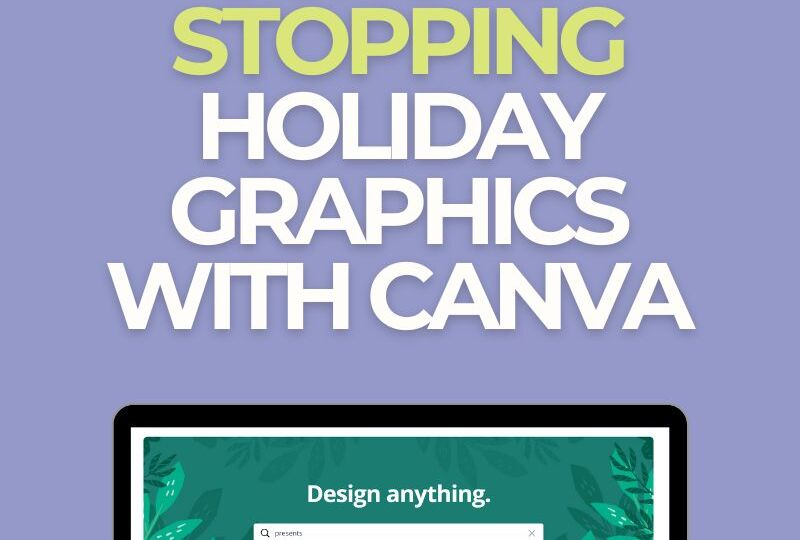
Creating Scroll-Stopping Holiday Graphics with Canva
The holiday season is prime time for small businesses to stand out but when every feed is packed with festive noise, how do you make your posts shine bright like a tree topper?
Easy! You create scroll-stopping graphics that pop, sparkle, and shout “click me!”… without burning out your brain or blowing your budget. And thanks to Canva, it’s totally doable (and even fun).
Ready to sleigh the holiday design game? Here’s your no-fluff, action-packed guide from one design-obsessed small biz owner (hi, it’s Kaycee 👋) who lives and breathes creative strategy.
Start With a Festive Color Palette
If your brand is all neutrals, you can totally keep that vibe but sprinkle in just enough holiday color to set the seasonal mood. You don’t have to use classic red and green if it feels off-brand.
Think:
-
Warm gold + evergreen
-
Deep burgundy + blush pink
-
Frosty blues + icy white
-
Bold berry + metallic silver
🎨 Pro Tip: In Canva, use the “Styles” panel to experiment with color palettes and see instant combos that feel festive but still feel like you.
Use Canva’s Holiday Templates (But Make Them Yours)
Canva has tons of gorgeous holiday templates, from Instagram posts to Stories, email headers, and even printed cards. These templates are great time-savers but (and this is key) don’t use them as-is.
Update:
-
The fonts to match your brand
-
The colors to reflect your brand palette
-
The copy to feel like your voice
-
The layout if it feels too busy or off-brand
🧠 Example: Swap “Merry & Bright Sale” for something cheeky like “Treat Yo’ Elf – 20% Off All Weekend!” if that fits your brand voice. Don’t steal this one though LOL … we’ve got some content primed and ready for Pawsnickety using this phrase!
Add Motion with Animations and Stickers
Static images are great, but a little motion can grab the eye faster than you can say “ugly sweater party.” Use Canva’s animated elements (like snow falling, twinkling lights, or bouncing holly) to create subtle movement that keeps your audience watching.
🎥 Use this trick for Instagram Stories and Reels covers. Movement = better retention.
Use Canva Magic (Literally)
Canva has added some serious AI sparkle lately. Here are a few tools worth playing with:
-
Magic Resize – Turn a single design into 10+ formats in a click (Instagram post to Story to flyer—boom).
-
Background Remover – Clean product shots with transparent backgrounds? Yes please.
-
Text-to-Image AI – Feeling bold? Experiment with creating custom festive illustrations or textures with AI prompts.
✨ Note: If you’re a Canva Pro user, you’ll unlock the best of these magical features.
Don’t Forget Brand Consistency
Just because it’s holiday season doesn’t mean you throw your whole brand book in the fireplace. Keep your:
-
Fonts consistent
-
Logo placement standard
-
Tone of voice steady
-
Imagery style aligned
🧣 Your holiday graphics should feel festive but not like someone else made them.
Get Strategic with Scheduling
Don’t make graphics just to post them once and forget them. Plan your holiday content ahead of time and schedule it out using tools like Meta Business Suite, Metricool (my fave), or even Canva’s built-in content planner.
Think about:
-
Product promos or limited-time offers
-
Behind-the-scenes festive fun
-
Holiday hours and shipping cutoffs
-
Community engagement posts (like “vote for your favorite holiday treat”)
🎄 Mix selling with storytelling…it’s way more effective than promo posts alone.
Hot Takes from a Holiday Content Nerd (Hi, it’s Me 👋)
From running two businesses through many Q4s, here’s what I’ve learned:
-
Simple graphics with strong contrast stop more thumbs than overdesigned chaos
-
Humor + relatability > cheesy stock photos
-
Real product photos with festive overlays work better than abstract graphics
-
People LOVE to be invited into your holiday vibe—don’t just promote, invite
And remember: done is better than perfect. If your holiday marketing feels stressful, it won’t perform well. Keep it light. Keep it fun. Keep it you.
Wrapping It All Up (Like a Pro)
You don’t need a design degree or a huge team to make your holiday content sparkle—you just need Canva, a plan, and a little creative confidence.
Want to keep your graphics cohesive across your entire campaign? Start by building a simple, repeatable template you can tweak for each post or promotion. It’ll save you hours and keep your visuals on-brand.
Bonus: Want More Holiday Marketing Help?
I’ve got a whole stack of tips, tools, and cheat sheets inside my Holiday Marketing Mini-Guide and other upcoming posts in this festive content series.
Or if you’re ready to skip the guesswork and work with someone who knows how to blend creativity, clarity, and strategy—book a Social Media Strategy Intensive with me.
Let’s make your holiday marketing as joyful (and profitable) as it should be.
Discover more from Create/Captivate Digital Marketing
Subscribe to get the latest posts sent to your email.